Is DramaBox MOD APK Safe? What You Should Know in 2026
Thinking about installing a DramaBox MOD APK to unlock premium episodes for free? Before you do, read this. This guide explains what a MOD APK really is, the four genuine risks nobody mentions, the six checks that filter out dangerous files, and the safer ways to watch without risking your phone. No scare tactics, no sales pitch, just the full picture so you can decide with your eyes open.
Safety Checks
Verified Sources
Red Flags
Safe Habits
Unlocked premium streaming experience.
Watch trending short dramas anytime.
Enjoy crystal-clear premium content.
Fast, smooth and fully unlocked.
DramaBox MOD APK
Table of Contents
What Is a MOD APK, Really?
Before judging whether a DramaBox MOD APK is safe, it helps to understand what the file actually is. A MOD APK starts life as the official DramaBox app published by STORYMATRIX. A third party then downloads that official file, opens it up with reverse-engineering tools, changes the code, and packages it again with a new digital signature. The name on the box says DramaBox, but the hands that built it are strangers.
The changes are usually about unlocking paid features. In the official app, episodes are locked behind coins or a subscription. The modder edits the code so the app thinks you have already paid. That is the part everyone talks about. The part nobody talks about is everything else the modder could change at the same time, because once the file is open, there is no limit to what gets edited. All of this applies to Android files only; iPhone owners face a different set of rules, which our DramaBox iPhone and iPad page walks through.
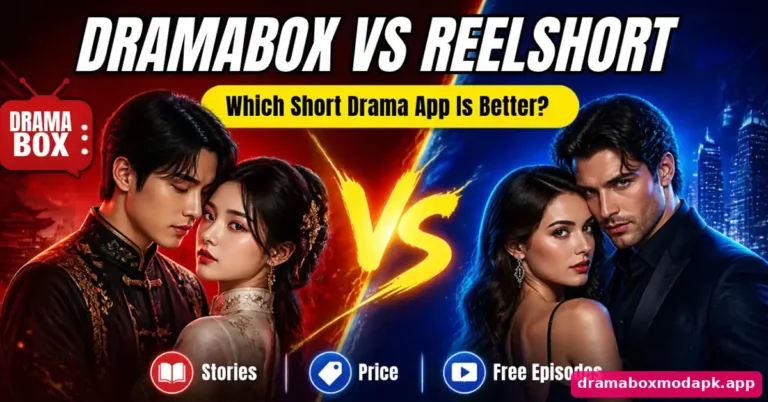
Think of it like this. The official app is a sealed drink from the factory. A MOD APK is the same drink poured into a new bottle by someone you have never met, who tells you they only added extra flavor. Maybe they did. Maybe they added something else too. You cannot tell by looking at the bottle, and that uncertainty is the entire safety question in one image. If you would rather avoid mods completely, our DramaBox vs ReelShort app comparison looks at two official options.
The Short Answer, Is DramaBox MOD APK Safe
A DramaBox MOD APK is not automatically a virus, but it is never as safe as the official app, and some copies floating around are genuinely dangerous. Safety depends on three things, where you got the file, whether you checked it before installing, and how much access you give it after installing. Get those three right and the risk drops a lot. Get any of them wrong and you are gambling with your phone.
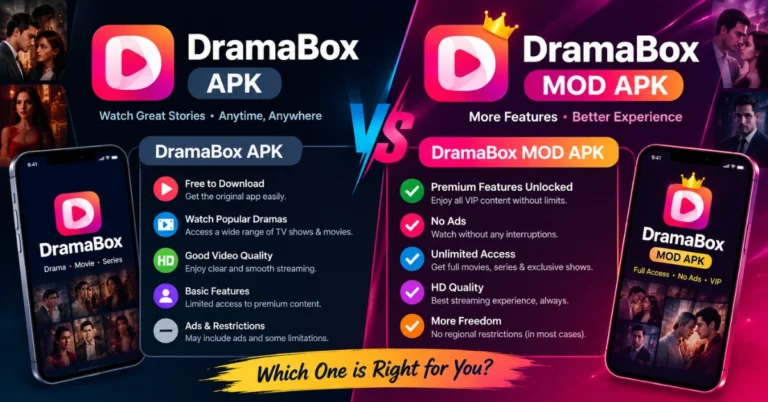
There is no version of a MOD APK that is one hundred percent safe, because no modder can offer the guarantees an official developer can, a verified signature, Play Store review, and accountability if something goes wrong. Keep that in mind through the rest of this guide and you will make better decisions than most people who install mods. Our side-by-side look at the official APK and the MOD breaks these differences down point by point.
How DramaBox MOD APKs Are Made
The process takes about four steps, and each step is a place where something unwanted can be added.
Notice the weak link, step two and three are often done with scripts downloaded from modding forums. The person uploading the “unlocked” DramaBox file may have no idea what the script inserted alongside the unlock. Some of the most infected APKs in circulation were uploaded by people who genuinely believed their file was clean.
The 4 Real Risks, Explained in Detail
1. Malware Hidden Inside the Installer
This is the risk everyone fears, and it is real. Security researchers regularly find trojans bundled with popular modded apps, including streaming and video apps. The common payloads are not Hollywood-style viruses. They are quiet, boring, and profitable, adware that floods your phone with popups, spyware that reads your messages and call logs, and banking trojans that wait until you open a finance app and then overlay a fake login screen.
The nasty part is timing. A malicious mod often works perfectly for days or weeks. You watch your dramas, everything seems fine, and meanwhile the payload is collecting data in the background. By the time you notice battery drain or strange charges, the damage is done. This is why “it worked fine for me” is the weakest safety evidence there is.
2. Your Personal Data Is the Product
Many mods are not outright malicious but are still hungry for data. A repackaged app can request permissions the official app never asked for, access to your contacts, your SMS inbox, your call history, your precise location. Ask yourself why a video streaming app needs to read your text messages. The official DramaBox does not ask for that. If the mod does, that permission request is telling you exactly what the modder wants from you.
Even without scary permissions, a modded app can send your advertising ID, device fingerprint, and usage patterns to third-party servers. You agreed to none of this, because there was no privacy policy and no one to complain to.
3. Account Bans and Lost Progress
DramaBox accounts that use modified clients can be flagged. The app talks to official servers, and servers can detect clients that behave oddly, impossible coin balances, missing purchase receipts, mismatched signatures. A ban can mean losing your watchlist, your favorites, and any coins you legitimately bought. If you spent real money on the official app and then logged into a mod with the same account, you risked the legitimate purchase too. Our DramaBox account safety and login guide explains how to keep your main account separate.
This risk is easy to underestimate because bans often come in waves, weeks after you started using the mod. Everything feels fine until the day your account stops working. If the app simply stops loading, check our DramaBox loading error fixes before assuming the worst.
4. No Updates, No Support, No One to Call
Official apps get security patches. Mods get re-uploaded whenever the modder feels like it, which may be never. An old modded version keeps every security hole the official app has since fixed, and there is no support desk when it crashes or eats your data. You are on your own, using software that nobody maintains, to handle logins and payments. That sentence should make you uncomfortable.
Why Free Mods Are Never Really Free
Someone spent hours cracking, repackaging, uploading, and advertising that free MOD APK. People do not usually do skilled work for nothing. So how does the modder get paid? The more transparent options include ads on the download page and donations, while readers who prefer the standard app can compare the available information in our complete DramaBox MOD APK guide. The less honest answers are the ones that should worry you, bundled adware revenue, selling collected device data, crypto miners that use your battery, or straight-up credential theft.
A useful rule of thumb, the more aggressive the download page (fake download buttons, countdown timers, “your phone is infected” popups), the more likely the file itself is monetized in ways you would not like. Clean sites tend to host clean files. A page that tries to trick you into clicking is already telling you about its ethics. The same goes for separate downloader tools; our safe way to download DramaBox episodes stays inside the official app.
Google Play Protect – Your Built-in Bodyguard
Play Protect scans apps on your device and warns about known harmful ones, including some modded APKs. It is not perfect, it misses new threats, and determined modders try to evade it, but it catches plenty. Treat it as a seatbelt it does not make crashing safe, but you should still wear it. If you watch on a computer through an Android emulator instead, the same caution carries over, and our DramaBox on Windows and Mac guide covers that setup.
If Play Protect blocks or warns about your DramaBox MOD after installation, do not just tap “install anyway” because you want to watch your drama. That warning is the closest thing to an expert opinion you will get on that specific file. At minimum, delete the file and try a different source. Ideally, reconsider whether the mod is worth it at all. If coins are the real reason, the official route in our legit DramaBox free coins guide is the safer path.
Red Flags on Download Pages
Warning Signs Your Phone May Already Be Infected
If you installed a mod a while ago and things feel off, watch for these symptoms. One alone might be coincidence; several together deserve action. Smart TVs can show the same signs, which is why our DramaBox Firestick installation guide recommends switching unknown sources off after installing.
What to do If You Installed a Bad MOD
Do not panic, but do not ignore it either. Work through this list in order.
How Infections Actually Happen – 4 Real Scenarios
Abstract warnings rarely change behavior. Concrete stories do. Here are four realistic ways a DramaBox MOD turns into a phone compromise, based on patterns security researchers see repeatedly with modded streaming apps,
Scenario 1: The Patient Spyware
You download a mod from a site that looks professional. It installs cleanly, episodes unlock, everything works. Three weeks later you notice your battery barely lasts half a day. What you cannot see: the mod included a spyware module that wakes every hour, uploads your location history, call logs, and SMS inbox to a server overseas, then sleeps again. It was designed to stay under the radar, and it succeeded. You only find out when a friend asks why you sent them a strange link at 3 AM, because the spyware harvested your contacts and started spamming them.
Scenario 2: The Banking Overlay
This one is targeted and nasty. The mod contains a banking trojan that does nothing for a month. Then you open your banking app, and the trojan detects it and instantly overlays a pixel-perfect fake login screen on top. You type your credentials into what looks exactly like your bank. The trojan sends them to criminals and passes you through to the real app, so you never suspect a thing. Days later, money starts disappearing. The mod is long forgotten as the cause.
Scenario 3: The Adware Spiral
Less dangerous but infuriating. The mod bundles aggressive adware that starts showing full-screen ads over other apps, changes your browser homepage, and installs “recommended” apps without clear permission. Your phone becomes barely usable. The adware fights uninstallation by hiding its icon and requesting device administrator rights during setup, which most people grant without reading. Cleaning it takes an hour and a factory reset is often the only sure fix.
Scenario 4: The Account Takeover
You log into the mod with your usual email and password, the same combination you use everywhere. The mod quietly sends your credentials to its maker. Weeks later, your email is compromised, password reset emails start arriving for services you never touched, and you spend a weekend recovering accounts. The root cause was reusing one password in one untrusted app.
A Parent’s Guide to MOD APKs
If you are a parent, this section matters more than the rest of the guide. Kids and teenagers are the most enthusiastic mod users and the least equipped to evaluate risk. They find mods through YouTube tutorials and friends, they have no concept of threat modeling, and they will happily grant every permission a scary dialog asks for.
How to Report a Dangerous MOD File
If you find a mod that is clearly malicious, reporting it protects the next person. Here is where reports actually help,
What does not help much: angry comments on the download page. They get buried or deleted. Formal reports to the channels above create lasting records.
DramaBox MOD vs Other Modded Streaming Apps
People often ask whether DramaBox mods are safer or riskier than mods of other apps. The honest answer, the risk pattern is similar across all modded streaming and video apps, because the attack surface is the same. A modded video player, a modded music app, and a modded drama app all request similar permissions, all handle logins, and all are distributed through the same shady channels. The same caution applies when people go hunting for free short-drama movies through unofficial apps, because those files come from the same corners of the internet.
Where DramaBox specifically stands out is popularity. More popular apps attract more modders, which means more mod variants, which means more chances for a malicious one to circulate widely. Obscure apps get fewer mods and less attention from both modders and malware distributors. DramaBox’s fame is precisely what makes its mod scene the most polluted. The more “unlocked premium” variants exist for an app, the harder it is to find a clean one.
6 Safety Checks I Recommend Before Installing Any APK
If you decide to go ahead despite the risks, at least run these checks. Each one takes a minute or two, and together they filter out the worst files:
One more habit that costs nothing: install the mod on a spare or old phone first if you have one, and never log into the mod with your main Google account or the same password you use elsewhere. And if low storage is the real reason you are skipping the official app, the smaller DramaBox Lite build may solve that problem without any mod at all.
How to Evaluate an APK Safety Report
A file scan can help identify suspicious behavior, but it cannot guarantee that an APK is safe. New or modified malware may not be recognized by every security engine, and some detections can be false positives. Treat scan results as one part of your assessment rather than a final verdict.
Before installing an APK, consider these checks,
The safest option is to use the official app from a trusted distribution channel. If you cannot establish the origin and integrity of a modified APK, do not install it.
What APK Signatures and Malware Scans Can Actually Prove
Android APK signatures help establish whether an app package was signed by a particular signing key and whether the signed package has been altered after signing. A modified APK may be signed with a different key, so a signature that differs from the official app is not, by itself, proof of malware. However, it also does not establish that the modified file is trustworthy.
Malware scanning has a separate purpose. Security services look for known threats and suspicious characteristics, but results depend on the file, the detection methods, and the information available when the scan runs. A clean result means that the scan did not identify a threat; it does not prove that the file contains no harmful code.
For this reason, do not rely on a single signal. File origin, developer identity, requested permissions, signature information, and security scan results all matter. If you cannot verify the source or understand a serious warning, avoid installing the APK.
How This Safety Guide Was Prepared
This guide explains general Android app-security risks that can apply to third-party modified APKs. It covers app signing, permissions, malware scanning, account protection, and steps users can take if they suspect an app is harmful.
The guidance should not be interpreted as a laboratory test or a security certification of any specific DramaBox MOD APK. Modified files can differ by uploader, version, and distribution source. Unless a specific file has been independently examined, its safety cannot be confirmed from its name, screenshots, download page, or advertised features alone.
Readers should check current Android security guidance and the information provided by the relevant app developer before installing software. When a file’s origin or behavior cannot be verified, the safer choice is not to install it.
Safer Ways to Watch Without Paying Full Price
If the whole point of the mod was saving money, consider the legitimate shortcuts first. DramaBox regularly gives out free coins through daily check-ins, watching ads, and special events. New users often get trial episodes free, and our guide to watching DramaBox episodes without paying lists more of these legitimate options. Following their official social pages can alert you to coin giveaways. None of this requires risking your device, and your account stays safe.
If you do try the official app first and find the free options genuinely insufficient, at least you made the decision with full information instead of jumping straight to a stranger’s repackaged file.
My Experience Checking DramaBox MOD Files
Before writing this guide, I collected several files labeled DramaBox MOD APK from different download pages and checked each one on a spare Android phone, never on my main device. The difference between them was bigger than I expected. A couple of files installed cleanly, asked only for storage and notification access, and behaved like the normal app with fewer locks. One file was almost twice the size of the official app and asked for contacts and SMS access during installation, so I cancelled it straight away.
Another file passed a security scan but started showing full-screen ads outside the app a day later, which is a classic sign of bundled adware. That experience is why this page focuses on checks rather than promises. A clean scan helped, but watching permissions, file size and behaviour over the first few days told me far more. If I had to give one rule, it would be this: test any modified build on a phone that holds nothing important, and remove it the moment it acts strangely.
Final Thoughts – Is DramaBox MOD APK Safe?
A DramaBox MOD APK cannot be considered safe simply because it installs successfully or unlocks premium episodes. A modified file may contain unwanted code, request unnecessary permissions, expose account information, or stop receiving security updates. At the same time, a suspicious-looking file name or a single antivirus detection does not independently establish that a particular file is malicious.
The most important question is whether you can verify the file’s origin and trust the software you are installing. A clean scan, familiar logo, or positive user comment is not a guarantee of safety. Avoid files that trigger unresolved security warnings, request unnecessary access, or require you to disable Android protections.
For the lowest-risk option, use the official DramaBox app from a trusted source and explore its available free episodes, promotions, or subscription options. If you have already installed a suspicious APK, remove it if necessary, run a security scan, review sensitive account activity, and change exposed passwords from a trusted device.
Bottom line: No third-party MOD APK should be assumed safe without reliable evidence. When its origin and behavior cannot be verified, protecting your device and personal information is more important than unlocking episodes for free.
Frequently Asked Questions
Is DramaBox MOD APK safe to download?
Can a DramaBox MOD APK give my phone a virus?
Is it legal to use DramaBox MOD APK?
Will my DramaBox account get banned for using a mod?
Why does Play Protect warn about my MOD APK?
Is the official DramaBox app safe?
Can I use a MOD APK on iPhone?
What should I do if I already installed a suspicious mod?
Do free coin generators for DramaBox work?
What is the safest way to watch DramaBox for free?